New MU Helper: press Play and your character hunts on its own
MU Helper rebuilt from scratch, exclusive to OpenMU: Autoplay that roams the area looking for monsters, automatic health and mana potions, pickup filters and it returns on its own after dying.
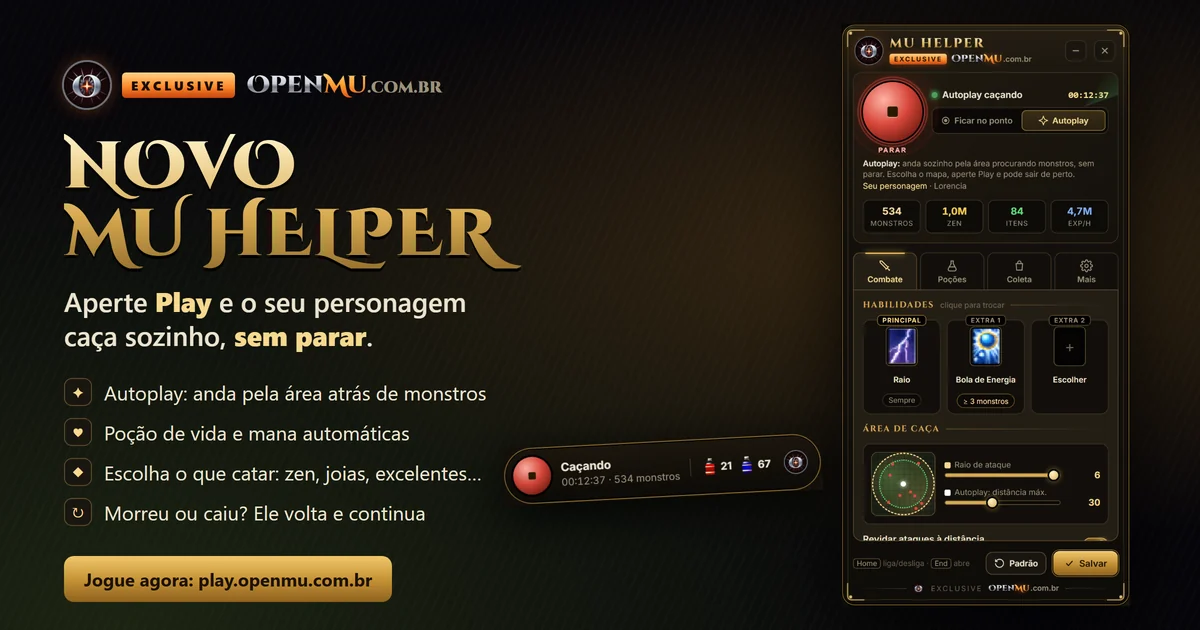
The OpenMU MU Helper has been rebuilt from scratch. The new window looks better, is easier to use, and now hunts non-stop.
How to use it
- Enter the game and go to a hunting map (outside town).
- In the corner of the screen, next to the minimap, click the golden Play button of the MU Helper.
- That is it: your character starts hunting on its own.
The gear next to Play opens the settings. On the keyboard it stays the same: Home turns it on and off, End opens the window.
Autoplay or stay at the spot
- Autoplay: the character roams the area looking for monsters, non-stop. You choose how far it can go (10 to 60 steps from where it started).
- Stay at the spot: hunts around where you are and returns to the same place, like the classic Helper. Good for party spots.
Automatic potions
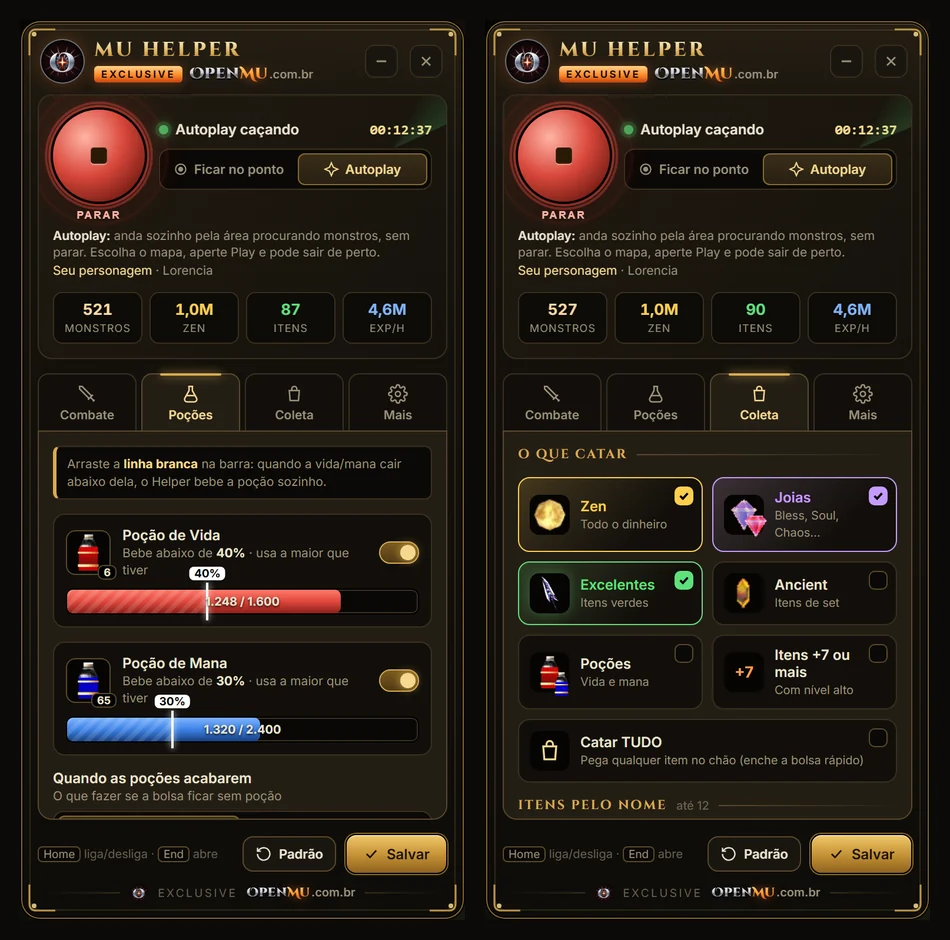
Health and mana potions come turned on. In the Potions tab you drag the white line on the health or mana bar itself to choose when to drink. You can also choose what to do when potions run out: keep hunting or stop and warn you.
In the corner of the screen you see how many potions you still have in your bag. The number blinks when they are running low.
What to pick up from the ground
In the Pickup tab, one click per type:
- Zen, Jewels (Bless, Soul, Chaos…), Excellent, Ancient
- Potions and +7 or higher items (you choose the level)
- Items by name (up to 12, for example Box of Kundun)
- Pick up everything
With a full bag, it switches to picking up only zen, or stops and warns you, as you prefer.
It does not stop by itself
- Died? After respawning in town, it returns to the hunting spot, fighting the monsters on the way.
- Connection dropped? When you log back in with the character (on the same device), the Helper turns itself back on.
- To turn it off for good, just press Stop.
And more
- Hunt scoreboard: time, monsters killed, zen, items picked up and EXP per hour.
- Profiles: save up to 3 settings and switch with one click.
- Works on mobile too.
The scoreboard numbers in the images are illustrative.
It is already live. If you had the game open, press Ctrl+F5 (or close and reopen the app) to load the new version.
Play now. Found a problem? Let us know on Discord.
Have fun!